Log a short SKU, quantity, payment method and amount for every sold item.
For craft fair makers
Close your market without guessing what sold
Capture booth sales, reconcile cash and card payments, count stock, then manually update the online listings that need attention.
$17 · one-time download · coming soon

Keep the record simple
Compare recorded sales with physical stock and keep exceptions in one place.
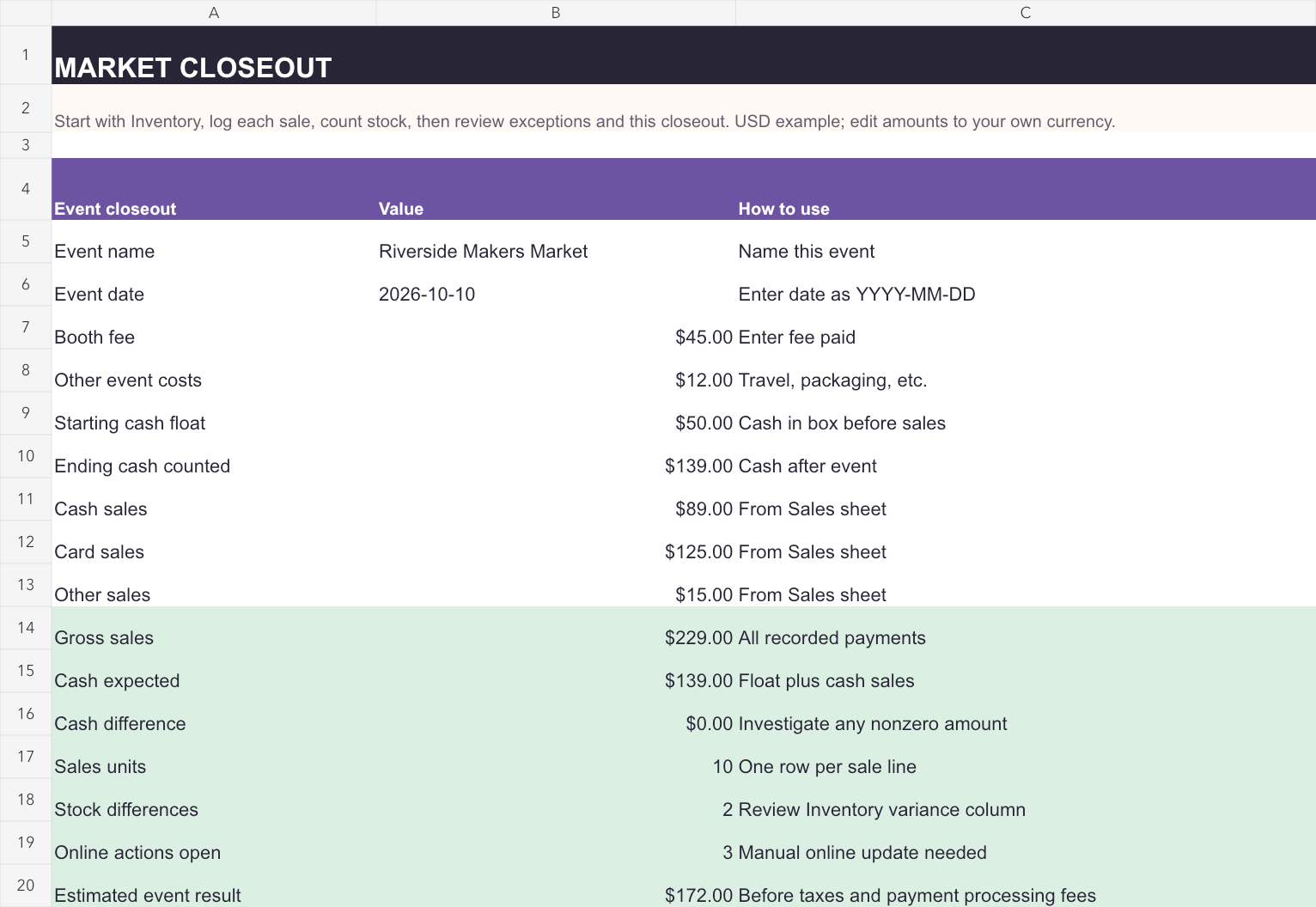
Review cash difference and online listings before you finish the event.
Inside the kit
See how the finished record reads
The preview is a fictional example. The download includes both a blank version and a filled example you can use to learn the workflow.
- Give each unique item a short SKU before the event.
- Record ten mixed cash and card sales in the quick log.
- Count physical stock and resolve any differences.
- Manually update online listings marked for action.
Included files
Editable and ready to adapt
- Blank XLSX workbook with four tabs
- Filled fictional jewelry example XLSX
- Printable booth tally in PDF and DOCX
- Quick start PDF and use license
Before you buy
Good to know
The XLSX workbook can be imported into Google Sheets, and the DOCX document can be imported into Google Docs. Work on a copy so you can keep the original files.
No automatic connection to Square, Etsy, Shopify or a payment terminal. Taxes and payment processing fees are not calculated.
Questions? Email Pinko Labs support.